
As you have probably figured out by now, I have a passion for plants and gardening as well as writing, art and photography.
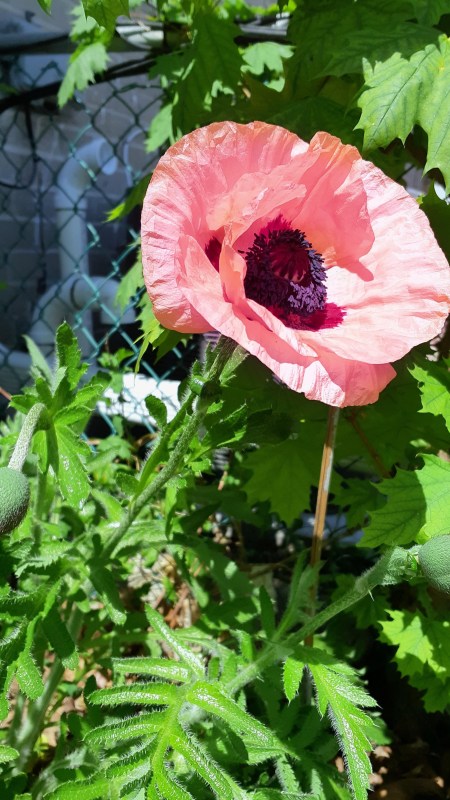
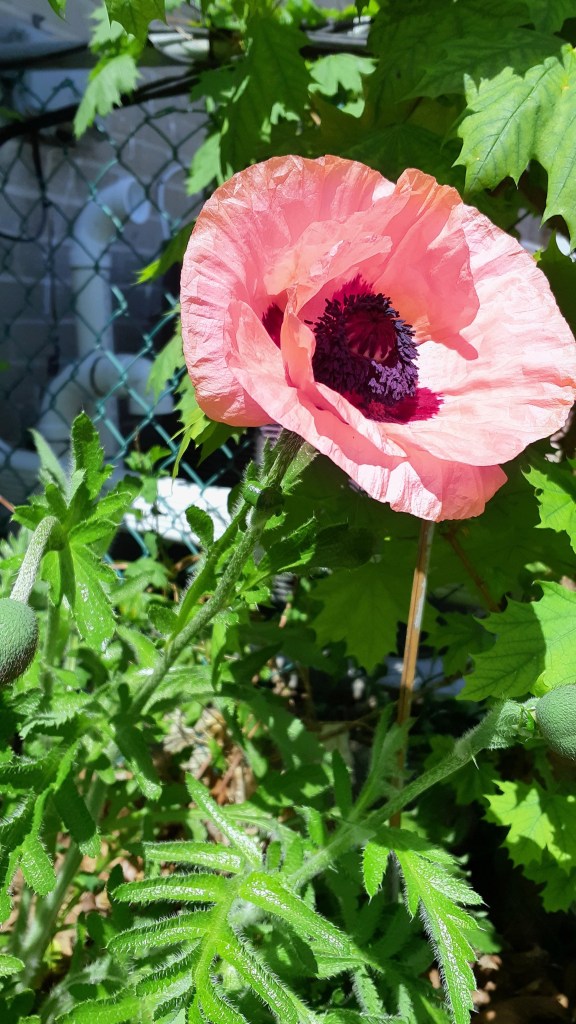
Thursday morning I stepped out into the garden to check on my tomato transplants and I saw a spot of colour out of the corner of my eye. To my surprise and delight my oriental poppy has begun to bloom! I’m so excited about this because its my first success in over a dozen years to get a poppy to bloom in my garden! I still have yet to succeed in getting poppy seed to germinate however-this poppy was bought as a small transplant. Two of the three plants that I bought survived. Because they hardly grew at all last year, I thought they might perish over our long, cold winters here in Toronto, but happily, they were just getting established. There are at least two dozen more fat, fuzzy buds covering the two plants, so it looks like it will be a good show!
Anyway, I was having a bit of trouble photographing the beautiful bloom. As you can see from the photo above, its salmon pink, but whenever I took a shot of it, it turned out a rather brilliant orange. What on earth was going on here?
Well, a camera doesn’t see the world in quite the same way as our eyes do. It is not as sensitive to light and colour as our eyes are, so on occasion the colours can come out strange like my photograph above.
It often comes down to WB or White Balance.
But what is that? White Balance in digital photography is adjusting the colours of the photo so they look right, because different sources of light (sun, table lamp, computer screen, etc.) have slightly different colour casts/have a slightly different colour (e.g. sunlight is a touch blue, candlelight is very yellow). Our eyes and brain do this naturally, which is why to our eyes, a white shirt looks white both indoors and out, but to a camera a white shirt outdoors looks white, but indoors it may look yellow.
I’m going to focus on how to handle this problem on your smartphone rather than DSLRs or other cameras with removable lenses because this is what most people take snapshots on. Keep in mind, smartphones are more limited than those with removable lenses.
Start by going to your camera’s Pro Setting (usually found above your exposure button-the button you tap to take the picture). On my Samsung, I go to my camera and set it to Pro (setting will be highlighted). This mode allows me to adjust my White Balance as and when necessary.
Now you should see a circle in the centre of your photo on your screen. This is where you camera will focus from. Chooses a point on your subject that is neither light nor dark and hit your exposure button.
I took this photo by selecting the shadows in the blossom (to get the proper light exposure so it’s neither over or underexposed) in Auto mode.
And then I got this:
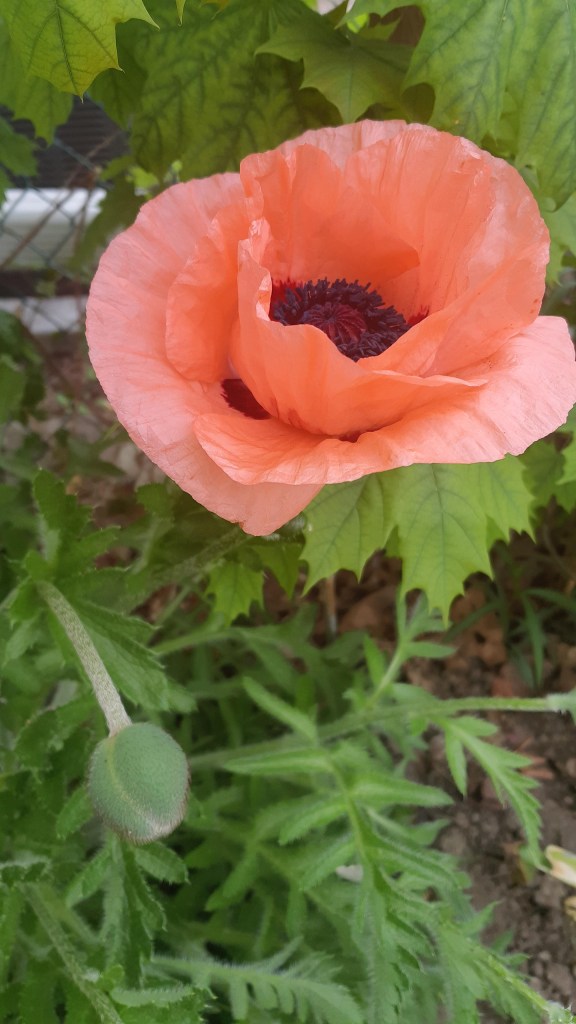
Orange? Where did that come from? (Well, on my computer screen it’s a bit more salmon, but it was bright orange on phone screen).
Anyhow, if this happens to you, take a look at your phone screen, you will see directly above the setting name is the WB and a number with a K beside it (e.g. 5500K). Tap the WB which will display your different White Balance modes. The most common settings are: Daylight, Cloudy Daylight, Incandescent (the old style lightbulb), Florescent (the tubes or spiral lightbulbs) and Auto. Check to see which one your camera is set to and move between these modes to see which one captures the colours most accurately. Compose your photo again, focus on your subject and take another shot.
So I guess we can learn several things from this, take many photos and adjust your WB as needed and don’t erase photos right away! Your phone screen may be adjusted a little differently from your computer screen, so if you’re posting online, the original ones may be okay! 🙂 .
So have fun experimenting with your White Balance settings. You may find that you can even use these artistically to create different moods in your photos.
Have fun and stay safe!
 Sweet Gale Cottage